
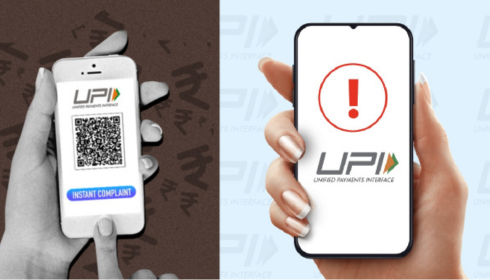

Digital payments have made life incredibly easy in India, especially with the rise of UPI. From paying your chaiwala to transferring large amounts instantly, everything feels seamless—until something goes wrong. And when it does, most people don’t know where to go or what to do next. That’s where understanding the npci online complaint system becomes important.
Let’s break it down in a simple, practical way.
Why UPI Payment Failures Happen
Before jumping into complaints, it helps to understand why UPI payments fail in the first place. Honestly, it’s not always a big issue. Many times, it’s just a temporary glitch.
Some common reasons include:
- Poor internet connection
- Bank server downtime
- Daily transaction limits
- Incorrect UPI ID or details
- App-related bugs
Sometimes, money gets debited but doesn’t reach the receiver. That’s when panic kicks in—and rightly so.
What to Do Immediately After a Failed Payment
First things first, don’t rush into filing a complaint immediately. Most failed transactions are automatically reversed within 24 to 48 hours.
Here’s what you should do:
- Check your bank account balance
- Review transaction status in your UPI app
- Wait for at least 24 hours
If the amount is still not credited back, then yes—you should take the next step.
How to Use NPCI Online Complaint System
The National Payments Corporation of India (NPCI) manages UPI systems, and they provide a structured way to raise issues.
To file a complaint:
- Visit the official NPCI website
- Navigate to the complaint section
- Choose UPI-related issues
- Fill in transaction details (UTR number, date, amount)
- Submit your complaint
Make sure you enter correct details. Even a small mistake can delay the resolution process.
Using Your UPI App for Complaints
Honestly, the easiest way is often through your UPI app itself—whether it’s Google Pay, PhonePe, or Paytm.
Steps usually look like this:
- Go to transaction history
- Select the failed payment
- Tap on “Raise Issue” or “Help”
- Choose the appropriate problem
Most apps also provide live chat or customer support options, which can speed things up.
Understanding UPI Payment Failed Complaint Process
When you raise a upi payment failed complaint, your issue goes through a structured process involving your bank, the receiver’s bank, and NPCI.
Here’s what happens behind the scenes:
- Complaint is registered
- Banks verify the transaction
- NPCI processes the dispute
- Refund is initiated (if applicable)
This process usually takes 3 to 7 working days, but in rare cases, it may take longer.
Tips to Avoid Future UPI Issues
Nobody likes dealing with complaints again and again. A few smart habits can save you from unnecessary stress.
- Always double-check UPI ID before sending money
- Avoid making payments during peak server hours
- Keep your app updated
- Use a stable internet connection
- Don’t exceed daily limits suddenly
Small precautions can make a big difference.
When to Contact Your Bank Directly
If NPCI or app-based complaints don’t resolve your issue, contacting your bank is the next step.
Visit your branch or call customer care with:
- Transaction ID (UTR)
- Date and amount
- Screenshots (if possible)
Banks usually escalate the issue internally and coordinate with NPCI for faster resolution.
Final Thoughts
UPI has transformed how India handles money, no doubt about that. But like any system, it isn’t perfect. The key is knowing what to do when things don’t go as planned.
Whether it’s waiting patiently for an auto-reversal or filing a proper complaint, staying informed gives you control. And once you understand the process, handling payment failures becomes far less stressful.
At the end of the day, it’s not about avoiding problems completely—it’s about dealing with them smartly when they arise.
